 ديل كوينز
PlayStation backup codes
If your Sony account uses 2-step verification, we need a backup code to sign in on our console without being stopped.
- On your PS5Settings → Users and Accounts → Account → Security → 2-Step Verification.
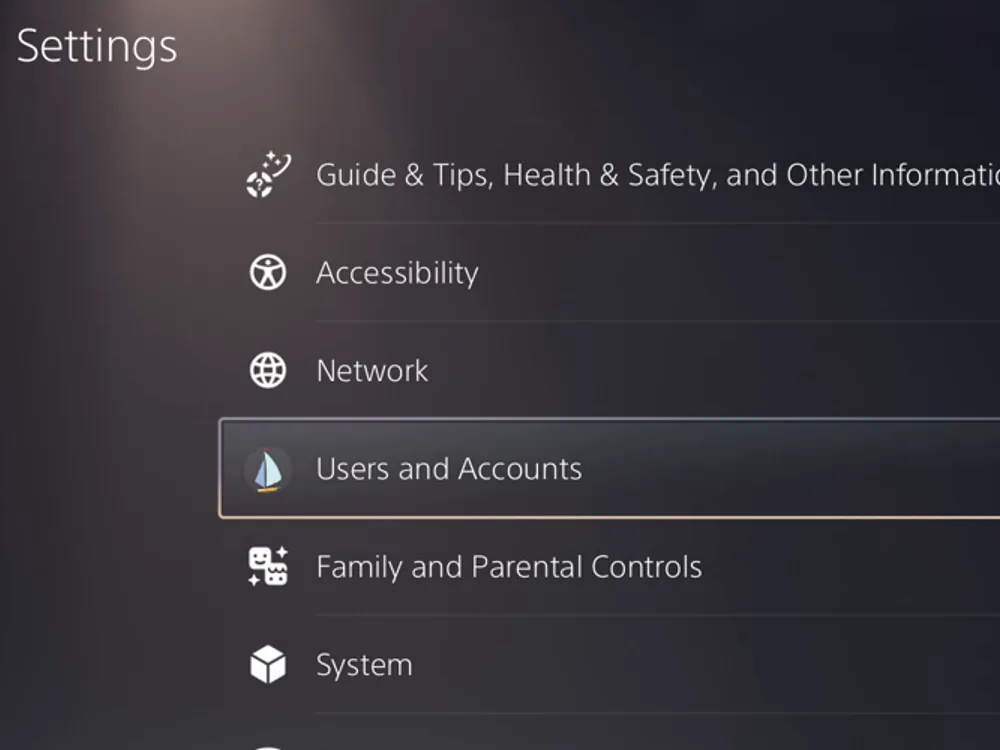
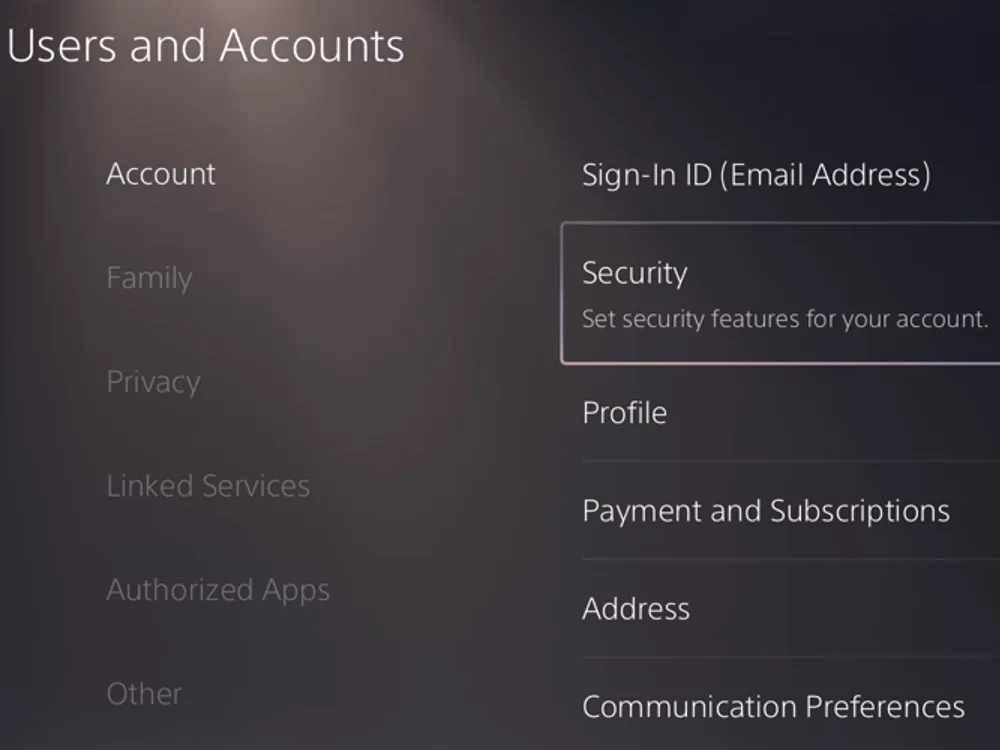
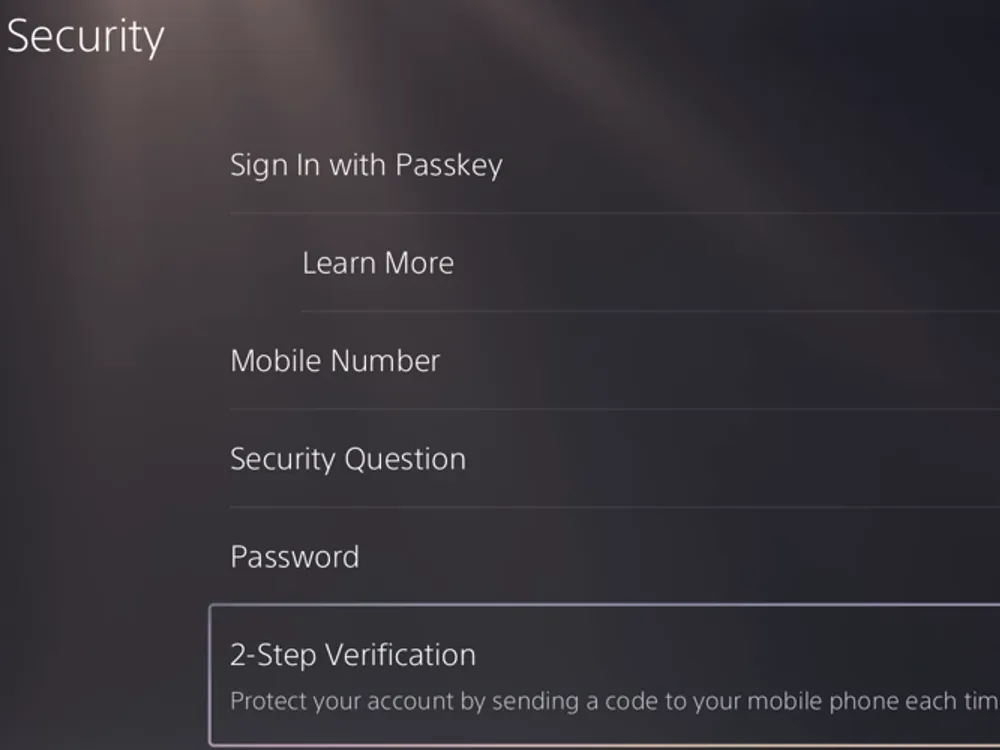
- Scan the code with your phoneThe console doesn't show the codes: it shows a QR code. Scan it with your phone's camera to open Sony's site.
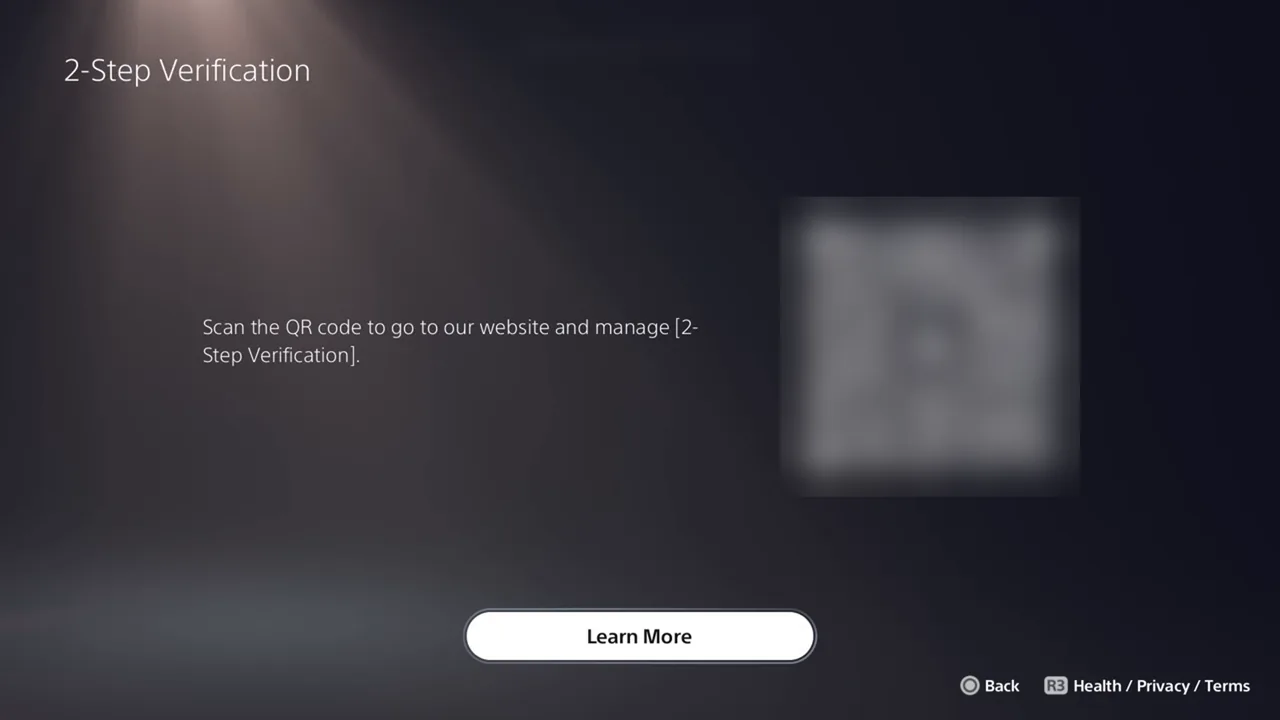
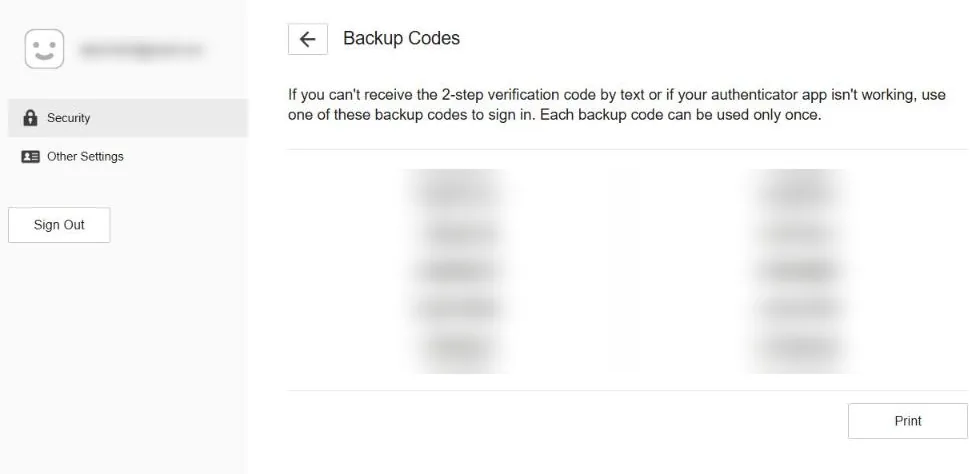
- Or open Sony's site in a browserSign in to your Sony account → Security → 2-Step Verification → Backup Codes.
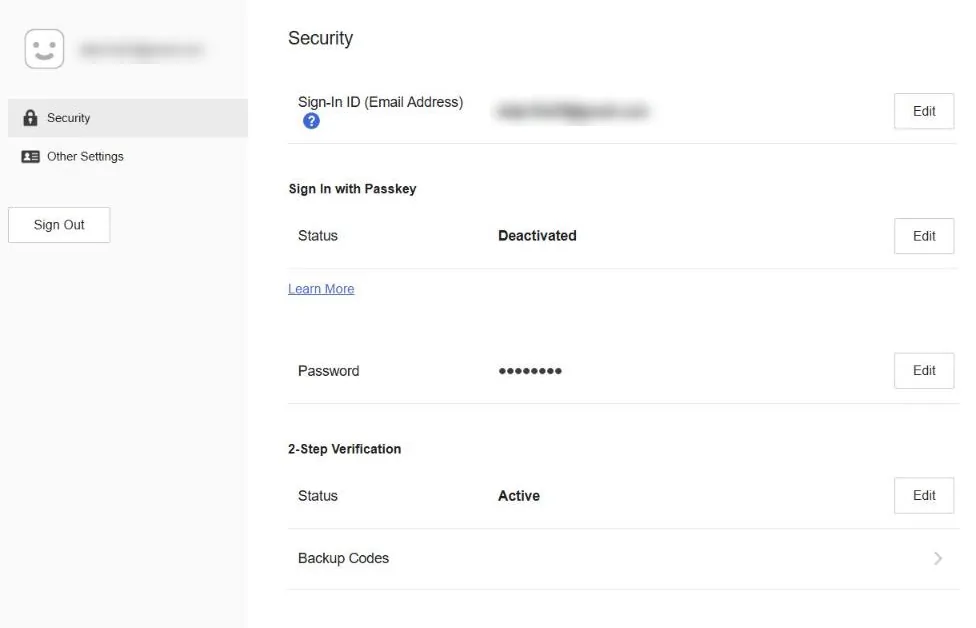
- Give us two different codesEach code is 6 letters and digits and works once. Copy two into the order form; you can get new ones after we finish.
If 2-step verification is off on your Sony account, we don't need Sony codes: just your email and password.
Official guide: Sony's 2-step verification guideGot a question?Our team answers on WhatsApp
Chat with us on WhatsApp